AI Logo Maker & Logo Creator
Trusted Tools & Utilities AppsArt & Design
0.00.00 Reviews
- Version
- 1.9
- Installs
- 50.00K
- Age Rating
- Everyone
Screenshots
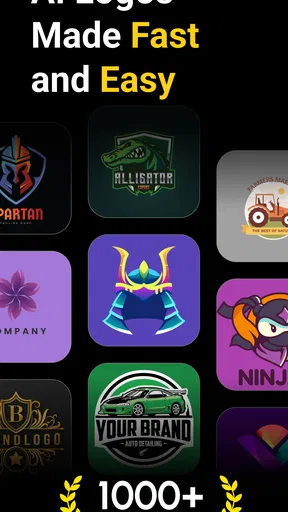
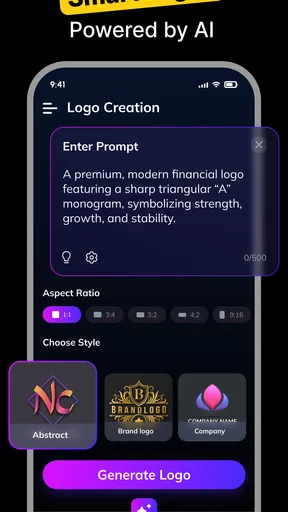
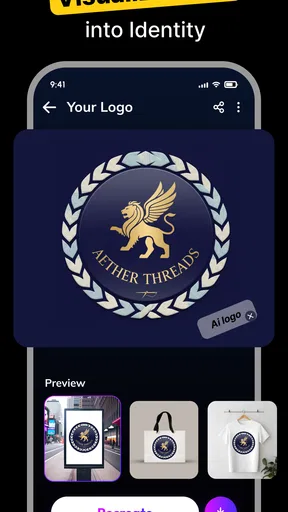
Our Review of AI Logo Maker & Logo Creator
 Analysis by Appyee
I approached AI Logo Maker & Logo Creator as a quick design tool rather than a replacement for a full branding studio. Its promise is simple: help you turn an idea into a usable logo without requiring advanced drawing skills. After spending time with it, I found the most convincing part is the low barrier to entry. You can begin with a rough concept, explore a visual direction, and prepare something shareable without first learning a complicated design interface.
That convenience also sets the right expectations. This is an app in the Art & Design category, developed by Trusted Tools & Utilities Apps, and it is free to install. The free entry point makes sense for someone testing a business name, social profile, club identity, personal project, or small online shop. It is less compelling for a professional who needs carefully controlled typography, detailed vector editing, or a complete identity system.
What it feels like to use the logo maker
The first useful question is not whether the app can produce a logo, but whether it helps you make a decision. Many people already have too many vague ideas: a color they like, an object connected to their work, or a name that needs a visual identity. A logo generator is valuable when it narrows those possibilities quickly. I found this app best suited to that early stage, where speed and experimentation matter more than perfect originality.
The AI-focused approach is particularly approachable for users who do not know how to begin with a blank canvas. Instead of asking you to construct every element manually, the experience is designed around generating or shaping a concept. That can be useful when you need a starting point for a podcast cover, a local service, a gaming community, a school activity, or a temporary campaign. The result may still need refinement, but a rough visual direction is often more useful than an empty artboard.
A realistic everyday situation would be a person preparing a small weekend business. They have chosen a name, created a social account, and need a profile image before announcing the service. Opening this app can help them compare several broad styles during a short break, select one that communicates the right mood, and share it with a friend for feedback. That workflow is more realistic than expecting the app to deliver a complete professional identity in one tap.
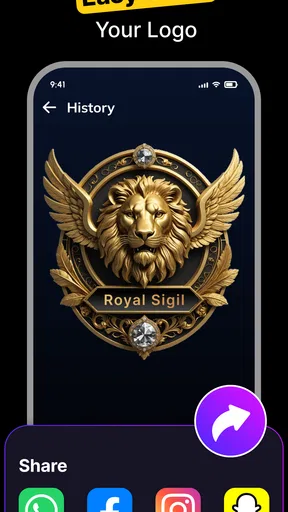
I also think the sharing emphasis is practical for this audience. A logo is rarely created in isolation. You may want to send an early version to a co-founder, ask a client which direction feels clearer, or check how a mark looks outside the editor. Being able to move quickly from creation to sharing reduces the friction between an idea and a useful conversation.
Who will get the most from it
This app makes the most sense for beginners, side-project owners, students, informal groups, and anyone who needs a presentable visual quickly. It can also be useful for brainstorming before hiring a designer. A generated concept can help you explain what you like and dislike, even if the final logo is created elsewhere.
It is a weaker fit for an established company that needs a carefully documented brand system. If your work depends on exact spacing rules, custom lettering, layered vector files, print specifications, or a distinctive mark that must survive legal and competitive scrutiny, a dedicated design application or professional designer is the better route. The convenience of automation should not be confused with ownership of a strong visual strategy.
There is another important limitation for people who care deeply about uniqueness. Automated logo tools can encourage familiar visual patterns because they are built to produce understandable results quickly. That is helpful when you need clarity, but it can make a design feel less personal. I would use the app to explore directions, then inspect the result critically rather than accepting the first attractive option.
Trust begins with what the app asks you to do
For a design app, trust is not only about visual quality. It is also about how comfortable you feel entering a business name, describing a project, selecting images, or sharing a finished design. My cautious approach is to treat every logo brief as potentially sensitive. A company name, product idea, or client concept may not be public yet, so I would avoid including confidential strategy, private contact details, or unreleased campaign information in any prompt or project description.
The app is rated for Everyone, which makes it approachable for a broad audience, including younger users working on ordinary creative projects. That rating is useful context, but it does not replace personal judgment about what information you choose to enter. I would still review any visible prompts, upload choices, and sharing steps before committing material that belongs to someone else.
The developer is listed as Trusted Tools & Utilities Apps. I would not treat a developer name alone as proof of a particular privacy standard. Instead, I would look at the choices presented during use: whether an account is requested, whether access to device content is clearly explained, whether sharing is deliberate, and whether the app lets me continue without handing over more information than the task requires.
That is a helpful habit with any AI design service. The creative output may feel harmless, but the text used to describe a business can reveal more than the image itself. For a public hobby project, that may not matter. For a confidential product launch, it matters a great deal. I would keep early experiments generic and replace sensitive wording with neutral placeholders until I understand the app’s controls and data handling choices.
Controls and choices I would check before creating
When I install a logo app, I first look for whether the main workflow is understandable without immediately agreeing to extras. I want to know what action creates a design, what action saves it, and what action shares it. Clear separation between those steps gives me more control than a single prominent button that combines several decisions.
I would also pay attention to whether the app presents optional purchases distinctly from the basic creation flow. The app is free, while in-app purchases range from forty-nine cents to thirty-three dollars and ninety-nine cents per item. That does not automatically make the experience poor, but it means I would read each purchase screen carefully and confirm what is included before paying.
For a casual user, the most sensible approach is to explore the free workflow first. Do not start by building a complete client project until you understand which actions are available without payment and which exported or enhanced results may involve a purchase. This simple test prevents an unpleasant surprise at the moment you need the finished file.
I would also check the device’s purchase authentication settings, especially if a child or another family member uses the same phone. An Everyone rating makes shared-device use more likely, and a clear purchase confirmation step is important in that situation. The safest workflow is to treat paid options as deliberate decisions, not as routine steps in the design process.
Handling names, images, and sharing with care
There are three moments where I would slow down: entering a project brief, selecting any visual material, and sharing the result. A business name may be harmless, but a draft product name can be commercially sensitive. If I were testing a logo for an unreleased service, I would use a temporary label during exploration and add the final wording only when I was ready to make the design public.
Images deserve the same care. I would use artwork I created myself or material I have permission to use. A logo app can make an image look suitable for commercial work, but visual polish does not settle copyright or trademark questions. If the design resembles a known brand, symbol, sports emblem, or character, I would change direction rather than assume that a generated result is automatically safe to publish.
Sharing should also be treated as a separate publishing decision. Before sending a logo to a public profile, I would inspect it at the size where people will actually see it. Tiny details can disappear in an avatar, while thin lettering may become difficult to read. I would send a preview to a trusted person first and ask a focused question: can they identify the name and understand the intended mood without an explanation?
That small test is more valuable than asking whether the image looks attractive. A logo can be stylish but unreadable, memorable but confusing, or colorful but unsuitable against the background where it will appear. I would create a short checklist for every candidate: legibility, simplicity, contrast, relevance, and whether it still works when reduced.
Practical ways to get better results
My first tip is to begin with a narrow brief instead of a long paragraph. Describe the audience, the feeling you want, and one visual idea. For example, a neighborhood repair service might need to feel dependable and straightforward, while a children’s art club may need to feel playful and welcoming. Keeping the direction focused makes it easier to judge the output.
My second tip is to compare concepts by function, not by novelty. The most unusual result is not necessarily the strongest. Put each option beside the name it represents and view it at a small size. If the symbol becomes a blob or the lettering loses its shape, discard it early. This is especially important when the logo will appear as a profile image or app icon.
Third, separate exploration from approval. During the first pass, save or share only the ideas that communicate something clearly. During the second pass, question whether the design is too close to familiar symbols, whether the colors fit the intended use, and whether the mark can work in a simple single-color version. Even if the app is built for speed, your review process should not be rushed.
A fourth useful habit is to keep the name readable before decorating it. Beginners often focus on icons and effects because they are visually exciting. I would first choose a clear wordmark or arrangement, then add an emblem only if it improves recognition. A logo that explains itself quickly is usually more useful than one that requires a story.
Finally, I would maintain a small record of the decisions made outside the app. Note the chosen colors, the preferred version, and where the logo will be used. This turns a quick generated image into a more consistent starting point for social profiles, documents, packaging, or signage. The app can help with the visual idea, but consistency still depends on the person using it.
How it compares with familiar alternatives
Compared with drawing from scratch, this app is much more inviting for a beginner. A blank canvas gives you maximum freedom but also demands decisions about layout, typography, color, and proportion. The AI logo workflow reduces that initial burden, which is why I would choose it for brainstorming or a fast personal project.
Compared with a full design suite, it is likely to feel lighter and less demanding. That is an advantage when you need a quick concept on a phone, but a disadvantage when you need precise control. A professional editor is better for adjusting individual paths, building a reusable system, preparing print-ready assets, or matching an existing brand exactly.
Compared with hiring a designer, the app is cheaper and faster to try, but it cannot replace the strategic conversation that makes a logo fit a particular audience. A designer can challenge a weak idea, identify a crowded visual direction, and create a coherent set of assets around the mark. I would see this app as a useful first step for people who are not ready for that investment, not as a universal substitute.
The most balanced comparison is therefore about the job you need done. Choose this app when you want momentum, options, and a low-pressure way to explore. Choose a more advanced tool when precision is the priority. Choose professional help when the logo carries serious commercial, legal, or long-term brand consequences.
Version, cost, and device fit
The current version is 1.9, and the app supports devices running Android 7.0 or later. That gives it a relatively broad device range, which is useful if you are working on an older Android phone rather than a recent flagship. I would still keep the operating system updated where possible and make sure the device has enough free space for normal creative work and saved images.
With over fifty thousand installs, it has a modest but meaningful level of adoption. I would interpret that as enough interest to justify trying it, while still forming my own opinion about the workflow. Install volume is not a measure of design quality, privacy, or suitability for a particular business.
The free price is the main reason I would recommend testing it before considering alternatives. You can decide whether the interface fits your habits without making an immediate commitment. If a paid item becomes relevant, I would pause and ask whether it solves a real need or merely adds decoration. A logo’s usefulness comes from clarity and consistency, not from collecting every available visual option.
One practical question many users have is whether the app is suitable for a serious business. My answer is: it can be suitable for an early-stage business, but I would not stop at the first generated result. Use it to test names and directions, then check readability, originality, and intended usage. If the business grows, revisit the identity with a more controlled design process.
My cautious recommendation
I enjoyed the straightforward idea behind AI Logo Maker & Logo Creator: give people a way to move from a vague concept to a shareable visual without making them study design software first. Its strongest use is quick exploration, especially for beginners and small projects that need a practical starting point today.
I would recommend it to someone who wants to test several logo directions, prepare a temporary identity, or create a visual for a personal project. I would also recommend using placeholders for sensitive business details, reviewing every permission and sharing choice shown during use, and treating in-app purchases as optional decisions that deserve careful attention.
I would skip it as the only tool for a high-stakes brand, a legally sensitive identity, or work requiring exact production files and detailed control. In those cases, a professional design workflow is worth the extra time. For everyone else, the free entry point and accessible AI approach make it a reasonable place to begin, provided you judge the results with a critical eye rather than mistaking speed for finished branding.
My final view is cautiously positive. The app can save time at the idea stage and make logo creation less intimidating, but the user still has to supply the judgment: protect private information, verify what is being shared, question paid choices, and test every design in its real context. Used that way, it is a useful sketching partner rather than a magic button, and that is a fair role for a free Art & Design app from Trusted Tools & Utilities Apps.
Verdict
Strengths of AI Logo Maker & Logo Creator
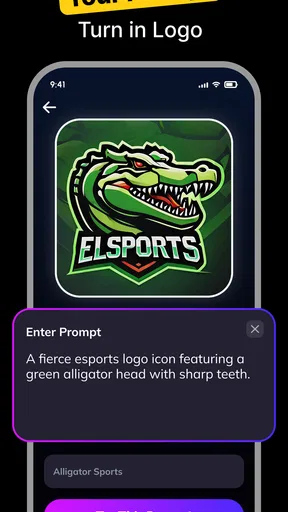
- Creates logo concepts quickly from simple text prompts.
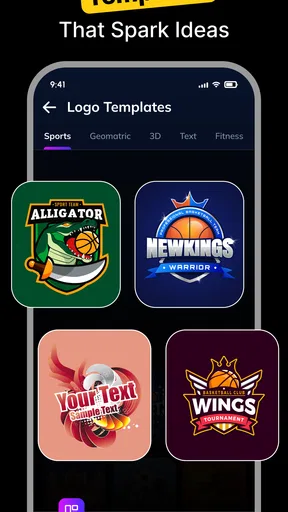
- Offers many templates for different industries and brand styles.
- Easy editing tools help adjust colors, fonts, icons, and layouts.
- Exports designs in formats suitable for social media and basic branding.
- Useful for testing several visual identities before hiring a designer.
Limitations of AI Logo Maker & Logo Creator
- Some premium templates and export options require a subscription.
- AI-generated text and symbols may contain occasional inaccuracies.
- Designs can feel generic when compared with custom professional branding.
- High-resolution or transparent exports may be restricted on the free plan.
- Results depend heavily on the quality and clarity of your prompt.
Similar Picks in This Category
View All
Canva: AI Photo & Video Editor
Canva4.8

PENUP – Drawing-sharing SNS
Samsung Electronics Co., Ltd.4.5

Crafto
Kutumb App4.6

Sketchbook
Sketchbook4.1

ibis Paint X
ibis inc.4.5

Adobe Express: AI Photo, Video
Adobe4.6
Frequently Asked Questions
What is AI Logo Maker & Logo Creator, and how does it work?
AI Logo Maker & Logo Creator is a design app that helps users create logos with artificial intelligence and customizable templates. After entering a brand name, choosing an industry, and selecting a preferred style, the app generates logo concepts that can be edited with different fonts, colors, icons, layouts, and backgrounds. It is designed for beginners, small businesses, creators, and anyone who needs a logo without advanced graphic design experience.
Can I create a professional logo without any design experience?
Yes. The app is built for users who may not have formal design skills. Its automated suggestions, ready-made templates, categorized icons, and simple editing tools make it possible to produce a polished starting design quickly. However, the final quality depends on how carefully you adjust spacing, typography, colors, and visual balance. Users seeking a highly distinctive corporate identity may still need a professional designer for more advanced branding work.
Are the logos created with AI Logo Maker & Logo Creator free to download and use?
The app may allow users to experiment with logo creation at no cost, but certain templates, icons, editing features, export options, or high-resolution downloads can require payment or a premium subscription. Before finalizing a design, check the current pricing and export conditions shown inside the app. You should also review the licensing terms to understand whether your chosen graphics can be used commercially.
Can I use a logo made with the app for my business or social media?
In many cases, logos created through the app can be used for business profiles, websites, social media pages, marketing materials, and online stores, provided that the selected assets are covered by the app’s commercial-use license. Not every icon, font, or template necessarily gives you exclusive ownership. If the logo is important to your brand, review the license carefully and consider trademark availability before using it commercially.
What export formats and customization options are available?
The available export formats and customization tools can vary depending on the app version and whether you use a free or premium plan. Typical options may include image downloads in common formats, color and background changes, font selection, icon replacement, alignment controls, and layout adjustments. Check the export screen before subscribing, especially if you need transparent backgrounds, high-resolution files, or formats suitable for professional printing.
